

- 2026 Best VPN for Gaming*

Reliable Dota 2 VPN for private gaming
Connect to fast and secure VPN servers with the best VPN for Dota 2
30-DAY MONEY-BACK GUARANTEE FOR FIRST-TIME USERS
*ExpressVPN helps support expert review sites through an affiliate program that compensates them for referrals.
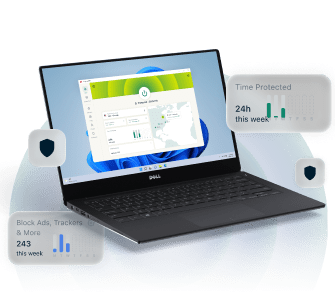









How to play Dota 2 with ExpressVPN
Start gaming with the best Dota 2 VPN in just a few clicks
-
Step 1

Sign up and install ExpressVPN
Subscribe to ExpressVPN with a 30-day money back guarantee*.
-
Step 2

Connect to an ExpressVPN server
Choose a VPN server closest to the game server for low ping.
-
Step 3

Play Dota 2 securely
Rack up Trophy Points securely, with a stable connection.
*ExpressVPN’s money-back guarantee is limited to first-time customers. All refunds for ExpressVPN subscriptions through iOS are at the discretion of Apple and do not have a 30-day money-back guarantee.
Engineered for low latency and high-speed gaming
Here’s how ExpressVPN can help you react faster in Dota 2

Every millisecond counts in Dota 2, as it can spell the difference between glorious victory and utter defeat. ExpressVPN can help keep your connection steady, even as the action heats up.
Our servers come with at least 10Gbps bandwidth, with many upgraded to 40Gbps. This helps reduce bottlenecks, which means our servers can handle high demand without slowing you down.

Connection drops can happen when you least expect it, like when switching from Wi-Fi to mobile data or when you’re in an area in your house with poor internet signal. This can happen if you’re not using a gaming VPN built for stable performance.
ExpressVPN’s Lightway protocol helps reduce downtime during these interruptions. We purpose-built it so your VPN connection goes on idle when your internet connection gets interrupted, instead of terminating it. This lets you reconnect faster and return to battle quickly.

Low ping is king in Dota 2, and choosing a VPN server closest to the game server is best. This matters if you often play in regions outside your home region, as the increased ping can impact your in-game performance.
ExpressVPN's server network covers 105 countries, so there's likely one near your preferred Dota 2 server location to help keep latency low. You can also use Smart Location, which automatically selects the best VPN server based on factors like your location and server load.
-

Up to 40 Gbps server capacity
-

Servers in 105 countries
-

Ultra-fast Lightway
-

Optimized for gaming
Reliable in real-world gaming conditions
ExpressVPN lets you play with a stable connection
-
Rely on consistent speed when gaming

Having a stable connection in Dota 2 is more crucial than ever, as drops could result in penalties and put you in low priority matchmaking.
ExpressVPN’s high-capacity servers help keep your connection stable when you need fast, reliable VPN speeds.
You’ll also get unlimited bandwidth, so we won’t throttle your VPN connection no matter how much you play.
-
Stay protected without distractions

When the battle heats up, the last thing you need is your VPN demanding your attention.
Because of this, our gaming VPN runs quietly in the background so you can focus on the game. That means there’s no overlay or disruptive pop-ups to distract you.
In this way, you can think of ExpressVPN as a hard support in and out of Dota 2 that never gets in your way.
Why you need a gaming VPN
for Dota 2
Get better speed and security over other VPNs

Help with restrictive networks
In for a quick match during your break? Your Wi-Fi on campus or work might block gaming traffic to manage bandwidth.
A VPN encrypts your traffic so your local network can only see the connection between your device and our VPN server. That way, you’ll be able to enter matches when you need to.

More privacy from your ISP
Some internet providers implement content-based throttling, which can cause lag.
VPN encryption limits what your ISP knows about your online activity, helping make it harder for them to single out your gaming traffic and interrupt your Dota 2 connection.

Hide your IP address
Salty players are here to stay in Dota 2. Many are harmless, but some will go as far as to target you with harassment, like DDoS attacks or Swatting.
This requires knowing your real IP address. Hiding your IP with a VPN makes it harder for attackers to target you.

Play safely on your home region servers
Traveling doesn't have to mean leaving your Dota 2 squad behind.
Connect to an ExpressVPN server in your home country to keep safely playing on your preferred regional servers, even on unfamiliar networks abroad.
Why ExpressVPN is the best VPN for Dota 2 players
We strike the balance between speed and security
-
Independently verified privacy

In Dota 2, your match history is an open book. Your VPN activity shouldn't be, and with ExpressVPN, it isn't.
Our servers run entirely on RAM, so data is wiped with every reboot and can’t be stored permanently. TrustedServer technology ensures every server runs the latest, most secure software. And our no-logs policy—independently audited by KPMG, PwC, and Cure53—means we don’t monitor your activity or connection data.
-
Advanced protection from ISP surveillance

Without a VPN, your ISP can see your online activity, including what websites you visit and your connection to Dota 2 servers.
We use 256-bit AES encryption to keep your ISP from seeing the contents of your traffic. This way, it won’t know you’re accessing a Dota 2 server, which minimizes what the company knows about you and keeps content-based throttling at bay.
ExpressVPN is compatible with


Troubleshooting: Dota 2 connection issues with VPN
Fix typical Dota 2 VPN issues with these tips

How to fix high latency while on a VPN
If you regularly experience lag, you can try switching to a VPN server closer to the game servers or pick the fastest option near you. ExpressVPN apps come with built-in speed tests to help you choose.
Opt for our fast Lightway protocol and use a wired internet connection, not Wi-Fi. All these can help reduce latency and packet loss.

Switch VPN servers to improve routing
Need to play with your friends in other regions? Using a VPN helps, but it also adds an extra hop between your local network and the game server, which could cause slowdowns.
To fix this, choose a VPN server closest to your preferred Dota 2 server. This helps minimize the extra distance your data needs to travel.

Adjust protocol settings for faster response times
Not all VPN protocols are made equal. Some prioritize security over speed, while others choose the opposite.
Our Lightway protocol bridges the gap between the two. Its small, efficient code base means less overhead, which helps deliver both fast performance and robust security.

Contact 24/7 support for troubleshooting
Finding the optimal setup for your VPN for Dota 2 can take time and patience. But don’t worry, help is always available.
You can chat with our customer support anytime for real-time help optimizing your connection or troubleshooting sudden problems.
Gaming device compatibility
Install our dedicated apps on platforms that run Dota 2
-
Apps for Windows, macOS, and Linux

Whatever platform you use to play Dota 2, ExpressVPN will be there to cover you.
Subscribe to ExpressVPN and download our app for your Windows, macOS, Linux, or Steam Deck device to get reliable speeds and robust security when gaming.
-
Connect up to 14 devices simultaneously

You can connect up to 14 devices at once with just one ExpressVPN subscription.
This makes things convenient if you have Dota 2 installed on multiple devices. Just connect to our VPN and play—no need to log in to ExpressVPN every time.
What people are saying about ExpressVPN
Find out why everyone’s buzzing about ExpressVPN
-
Absolutely fantastic. It was the perfect solution for connectivity issues in a game I've been playing recently.
J B


-
ExpressVPN is the perfect all around VPN service for your network security needs.
Dirt_Reynolds


-
ExpressVPN is the fastest VPN I've found. It shows you the fastest server you can connect to, and a list of alternate servers.
Christopher Gilmer
-
#1 Best VPN 2026 & Best Gaming VPN
ExpressVPN is the best Gaming VPN right now, thanks to its impressive speeds, excellent privacy protections and expansive global network of servers.

-
Editor’s Choice Award 2026
ExpressVPN’s expansive network and dedication to staying on the forefront of encryption tech earn it an award.

-
#1 Best VPN for the U.S. 2026
ExpressVPN is the best VPN for the U.S. right now. It has VPN servers in every American state, excellent security, and a simple user interface.

-
 Rated 4.4 out of 5
 -
 Rated 4.7 out of 5
Rated #1 VPN in 2026 by CNET*
*"Best VPN" claim is supported by CNET, as well as statements from media articles published through our paid affiliate partners.






FAQs
Quick answers to your common questions about using a Dota 2 VPN
Is it legal to use a VPN with Dota 2?
You can use a VPN with Dota 2 in countries and regions where VPN use is legal. Ensure that you read local laws on VPN use before you proceed.
Can a VPN help reduce ping in Dota 2 matches?
VPNs can help reduce ping in Dota 2 when you connect to a VPN server closest to your preferred game server.
Also, consider other factors like using a wired internet connection and gaming on off-peak hours, as these can impact your ping too.
Does ExpressVPN work with Steam?
Yes, because ExpressVPN has dedicated apps for platforms that run Steam.
To get started, subscribe to ExpressVPN, install our app on your device, and connect to a VPN server before you open Steam.
With just one subscription, you can cover up to 14 devices simultaneously.
Why is my Dota 2 ping high with a VPN?
There are several possible reasons for this. One, you might have connected to a VPN server that’s far from your selected Dota 2 server. Connecting to a closer one usually helps reduce ping.
Your VPN protocol matters too. On ExpressVPN, choose the Lightway protocol, which is built for speed.
Can I play on different regional servers with a VPN?
Yes. In fact, using a VPN is recommended if you plan on playing in a region that’s far from your actual location.
In this case, select a VPN server that’s closest to your Dota 2 server of choice. This will help route your traffic more efficiently for reduced ping.
Will using a VPN get me banned from Dota 2?
No. However, actions that violate the Steam Subscriber Agreement could get you banned. These include using cheats, faking gameplay statistics, and harassing other players.
Get ExpressVPN for Dota 2
- Maintain speed and security during gameplay
- Get a 30-day money-back guarantee as a first-time customer