Google Shielded Email: What it is and alternatives you can use today


Google was reported in 2024 to be working on a new feature called Shielded Email that would let users create email aliases for sign-ups without revealing their primary address. However, this feature has never been officially confirmed by Google, and as of the time of writing, it still hasn’t been released.
This guide explains what Google Shielded Email was rumored to be, how Gmail’s built-in aliasing actually works, and what tools you can use today to better protect your email privacy.
What is Google’s Shielded Email feature?
“Google Shielded Email” refers to a rumored feature, not an official product. It was first publicized in a November 2024 report by Android Authority, which identified code strings in a beta version of Google Play Services. These strings suggested Google might introduce an email masking feature that generates aliases during sign-up and forwards messages to your main inbox.
The concept appears to be similar to Apple’s Hide My Email, where each sign-up uses a unique address that you can later disable if it starts receiving spam.
However, Google has never announced this feature publicly, shared documentation, or confirmed any plans to release it.
How was Gmail’s Shielded Email expected to work?
Based on the original reporting, Shielded Email was expected to:
- Generate a unique email alias during sign-up.
- Forward messages to your primary Gmail inbox.
- Let you disable or delete aliases if they start receiving spam.
- Potentially integrate with Android Autofill for seamless use in apps.
However, it’s important to stress that this functionality is entirely based on early code discoveries, not an official product roadmap.
If you’re looking for similar functionality today, you don’t need to wait: Gmail already supports a basic form of aliasing called subaddressing, and dedicated tools offer advanced privacy controls.
Subaddressing in Gmail: Uses and limitations
Gmail doesn’t offer true email aliasing or masking. However, it does support a basic feature called subaddressing (often referred to as the “plus trick”).
This lets you add a word or tag after a plus sign in your email address, like:
- yourname+shopping@gmail.com
- yourname+trials@gmail.com
- yourname+newsletters@gmail.com
Messages sent to these variations still go directly to your main inbox; there’s no separate alias to create or manage.
Once those messages start arriving, you can create labels and filters in Gmail to automatically sort them. In the left sidebar, scroll down and click the + sign next to Labels. Enter the label name and click Create.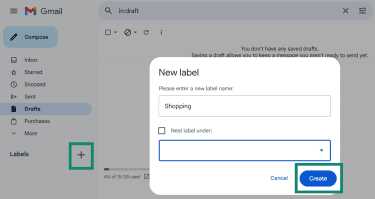
Subaddressing is therefore best used for organizing incoming mail and tracking where your email is being used. However, in terms of privacy protection, it’s pretty limited. It doesn’t hide your real Gmail address, so anyone you share an alias with still has your underlying email, just with a “+tag” added.
You also can’t disable or delete a specific alias, so if that variation starts receiving spam, it will continue unless you filter or block those messages manually. And since the “+tag” is part of your actual address, some services ignore it or strip it entirely, which means it offers little protection against spam.
Gmail security and privacy
Gmail uses Transport Layer Security (TLS) to encrypt emails in transit, which helps protect message content as it travels between mail servers. This reduces the risk of interception while emails are being delivered.
However, Gmail doesn’t use end-to-end encryption (E2EE) by default. This means the email provider itself may be able to access the contents of your emails as part of providing the service, making it less suitable for highly sensitive or confidential communication.
Even with TLS in place, emails still rely on routing data (information like the sender, recipient, timestamps, and technical headers) to reach their destination. Gmail can process this metadata as part of normal operations, including delivery, spam filtering, and phishing detection.
How to secure your Gmail account using built-in tools
Gmail security starts with Google Account security. If someone gets into your account, it doesn’t matter what email address you’re using.
- Turn on 2-step verification (two-factor authentication or 2FA): This adds a second sign-in check, so a stolen password alone won’t get someone into your account.
- Use a passkey when you can: Passkeys are built to resist phishing, since there’s no password to type into a fake login page.
- Run a security checkup: Google’s Security Checkup tool lets you review recent sign-ins, devices, third-party access, and recovery options. Treat anything you don’t recognize as a problem to fix right away.
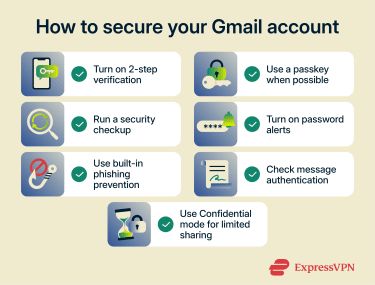
- Turn on password alerts: If Google Password Manager finds one of your saved passwords online, you’ll get an alert so you can change it.
- Use Gmail’s built-in phishing prevention checks: When an email looks like it’s from Google, check your account notifications directly instead of trusting the message. You can report phishing inside Gmail, too.
- Check message authentication on suspicious emails: In Gmail, “Mailed by” and “Signed by” can help you spot messages that aren’t authenticated. It won’t catch every scam, but it’s a fast signal when something feels off.
- Use Confidential mode for limited sharing: It lets you set an expiration date and control actions like forwarding, copying, printing, and downloading. It’s useful for confidential communications, but it doesn’t make email end-to-end encrypted.
Use cases for email masking tools like Google Shielded Email
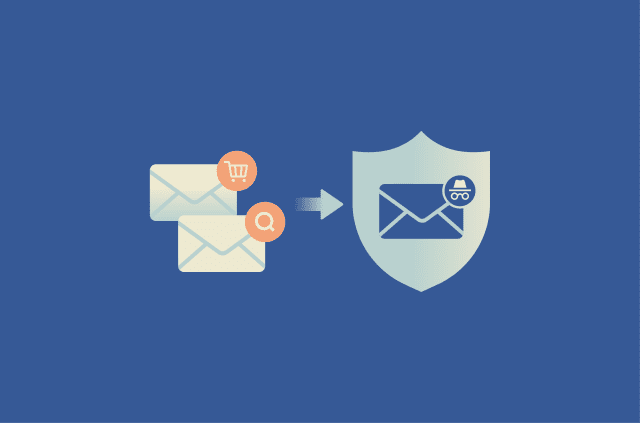
Unlike Gmail subaddressing, fully featured email masking tools generate separate, random email addresses that don’t reveal your real inbox, giving you much stronger privacy and control. Because each alias is independent, you can disable or delete it at any time if it starts receiving spam, without affecting your main email.
This makes them useful not just for organizing messages but also for protecting your identity, limiting tracking, and reducing long-term exposure of your primary email address.
Sign-ups, shopping, and subscriptions
Apps, websites, and online stores are where email alias tools are most useful. Instead of sharing your real address, you can generate a unique alias for each service, whether you’re creating an account, signing up for a free trial, or making a purchase.
You’ll still receive verification codes, receipts, and delivery updates, but your primary inbox stays separate from marketing lists.
This also gives you control over what happens next. If a service starts sending unwanted emails or keeps contacting you after you unsubscribe, you can simply disable that alias without affecting anything else. There’s no need to block senders one by one or worry about your real email continuing to circulate.
Limit your exposure in data breaches
Every time you hand over your email address to a new app, store, or website, it gets added to another database you don’t control. And those databases can get breached.
When that happens, your email address can end up in leaked datasets that circulate online or get sold to spammers and scammers. Even if no other data is exposed, your email alone is enough to increase phishing attempts and long-term spam.
Email alias tools reduce that risk by limiting your exposure. Instead of using the same address everywhere, each service gets its own alias. If one company is breached, only that alias is affected, not your primary inbox or every account tied to it.
ExpressMailGuard: A private email alias alternative
ExpressVPN’s ExpressMailGuard is a private email relay service that sits between the internet and your inbox.
Key features
- Unlimited email aliases: Generate as many unique email addresses as you need for apps, websites, and sign-ups.*
- Catch-all alias creation (on demand): You don’t need to create aliases in advance. If you use Dedicated Subdomains, ExpressMailGuard can automatically generate an alias the first time an email is sent to that address.
- Disable aliases anytime: If an alias starts receiving spam or unwanted messages, you can turn it off instantly.
- Reduces exposure in data breaches: You can use a separate alias for each service, so if one company is breached, only that alias is affected.
- Works across platforms: Unlike some alternatives limited to specific ecosystems, emails sent to an ExpressMailGuard alias can be forwarded to various email providers like Gmail, Outlook, Yahoo, and more.
- Private email forwarding: Emails are forwarded to your inbox without being stored long-term. Messages pass through the system only briefly to enable delivery.
Read more: For a more detailed breakdown of how ExpressMailGuard works and its full set of features, visit our complete overview.
How to get started with ExpressMailGuard
ExpressMailGuard is included with ExpressVPN Basic, Advanced, and Pro plans, and it requires an active ExpressVPN subscription. You sign in with your ExpressVPN account, so there’s no separate ExpressMailGuard login.
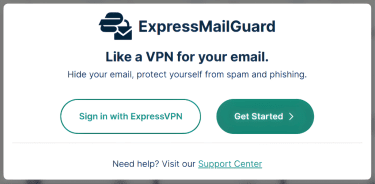
- Go to app.expressmailguard.com and select Sign in with ExpressVPN.
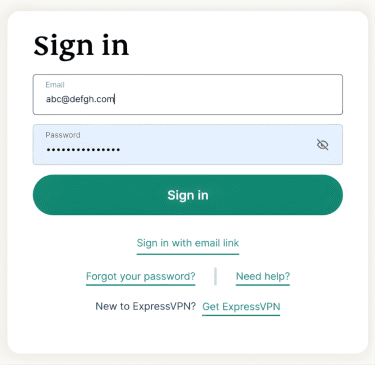
- Enter your ExpressVPN account email and password, then select Sign in.
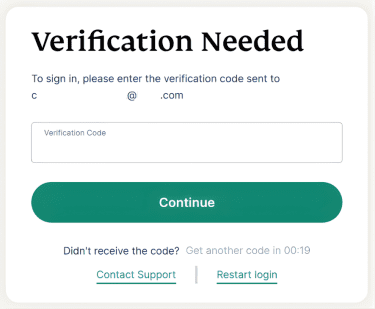
- Check your inbox for the verification code, enter it into the Verification Code box, and then click Continue.
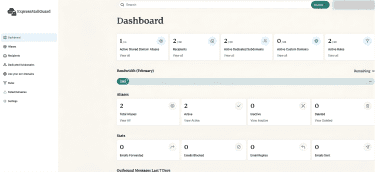
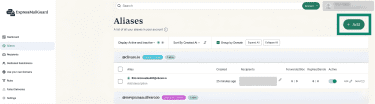
- In the ExpressMailGuard dashboard, click Aliases.
- Click + Add.
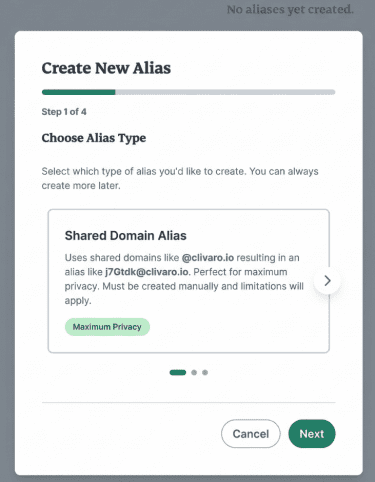
- Select Shared Domain Alias for your first alias.
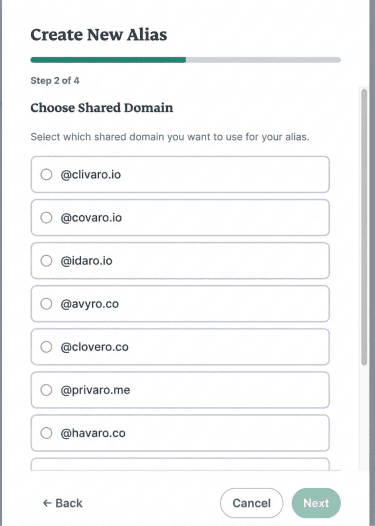
- Pick the shared domain you want to use.
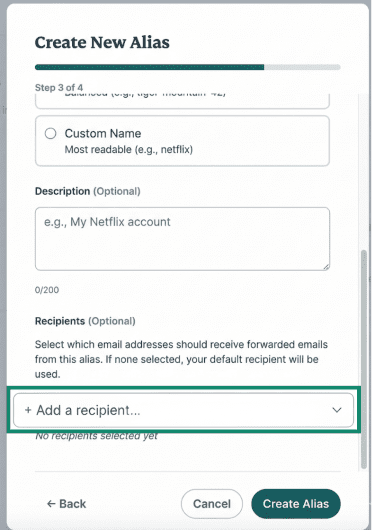
- Choose an alias format (Random Characters, UUID, Random Words, or Custom Name).
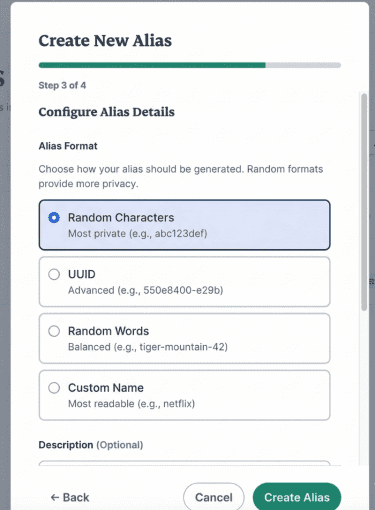
- If prompted, pick a recipient address for forwarding (if you add a new recipient later, you’ll need to verify it before ExpressMailGuard can forward to it). Click Create Alias.
What email aliases can’t protect against
As we’ve seen above, an email alias can be a strong privacy protection tool for sign-ups. That said, it won’t stop the usual tricks that come with spam messages.
- Message monitoring: An alias does not encrypt your email, and it doesn’t replace secure messaging when you need confidential communications or data protection.
- Tracking pixels and link tracking: Marketing emails can include tiny images that report opens and log details such as time and IP-based location. Link redirects can also track clicks. An alias won’t stop these either.
- Phishing: Attackers don’t need your real email address to target you; they just need a working one. Even if you use aliases everywhere, a convincing message can still trick you into clicking a malicious link or entering your credentials on a fake site.
That’s why it’s important to combine email aliasing with broader security tools.
A virtual private network (VPN) like ExpressVPN helps protect your connection by encrypting your internet traffic and masking your IP address.
Antivirus software with built-in phishing protection adds another layer. Many modern security tools can detect and block malicious links, fake websites, and suspicious downloads before they reach you. This is especially useful against convincing phishing emails that imitate trusted brands or services.
FAQ: Common questions about Gmail privacy
Does Gmail encrypt email?
Does Google read my emails?
It uses automated systems to scan emails for purposes such as spam filtering, malware detection, and phishing prevention. Google has stated that it does not use Gmail content for ad personalization, but it may still process email data to provide and improve its services.
What is Google's confidential email?
How do I tell if an email from Google is real?
How secure is Google email?
However, Gmail does not use end-to-end encryption (E2EE) by default. So compared to privacy-focused email services that use E2EE, Gmail offers less privacy because it relies on a model where the provider can process email data.
How can I protect my Gmail account from hackers?
*Unlimited aliases apply to aliases created on your Dedicated Subdomains or Custom Domains. Caps apply to Shared Domain aliases. Availability of specific features varies by subscription tier.
Take the first step to protect yourself online. Try ExpressVPN risk-free.
Get ExpressVPN